
Why Does the Wrong Name Show on Google Caller ID?
Why Does the Wrong Name Show on Google Caller ID?
Have you ever made a call only to hear, “Oh, your number shows up as Sunshine Bakery!” even though you’ve never baked a loaf of bread in your life? It’s confusing, frustrating, and sometimes even embarrassing, especially in professional settings. Let’s break down why this happens, what’s really going on behind the scenes, and what you can do about it.

Woman with smartphone looking confused while talking on phone, receive strange call, frustrated from news, white background.
It’s Not Your Phone Company’s Fault
Here’s the first myth to bust: your phone provider isn’t sending the wrong name. In the UK (and many other regions), networks only transmit your number, not your name. The name that pops up on someone’s screen is actually being guessed by services like Google Caller ID, which pull information from online databases.
Google Is Trying to Be Helpful (Sometimes Too Helpful)
Google wants to save people from the anxiety of seeing “Unknown Caller.” To do this, it scans the web for your number and tries to match it with a name. If your number is linked to a business listing, directory, or even an old record, Google assumes that’s who is calling.
The problem? These guesses aren’t always accurate. Outdated listings, shared office addresses, or recycled numbers can all cause Google to show the wrong name.
Common Reasons for Caller ID Mix-Ups
Here are the main culprits behind incorrect names:
- Shared addresses: If your business shares a building with another company, Google may confuse the two.
- Outdated data: Old business listings or directories can linger online, “haunting” your number long after you’ve moved or rebranded.
- Previous owners: If your number once belonged to someone else, Google may still associate it with them.
- Multiple listings: If your number appears in different contexts online, Google may pick the wrong one.
Caller ID Limitations in the UK
In markets such as the United States and Australia, businesses have access to services that allow them to actively broadcast their chosen caller name alongside their phone number. This ensures greater consistency and control over how calls are presented to recipients.
At present, however, this functionality is not available in the UK. As a result, the displayed name is determined by external databases most commonly Google’s Caller ID or the recipient’s device rather than by the caller themselves.
What You Can Do About It
While you can’t directly control Google Caller ID, there are practical steps to reduce confusion:
1. Update your online listings
Check your Google Business profile and other directories to make sure your number isn’t tied to the wrong company. If you’ve moved or rebranded, update those records promptly.
2. Encourage contacts to save your number
When someone saves your number in their phone, their device will show the name they’ve chosen, not Google’s guess. This is the most reliable way to ensure clients see the right name.
3. Be patient with updates
Even after correcting online records, Google’s databases can take time to refresh. Think of it as clearing out digital “ghosts” from old listings.
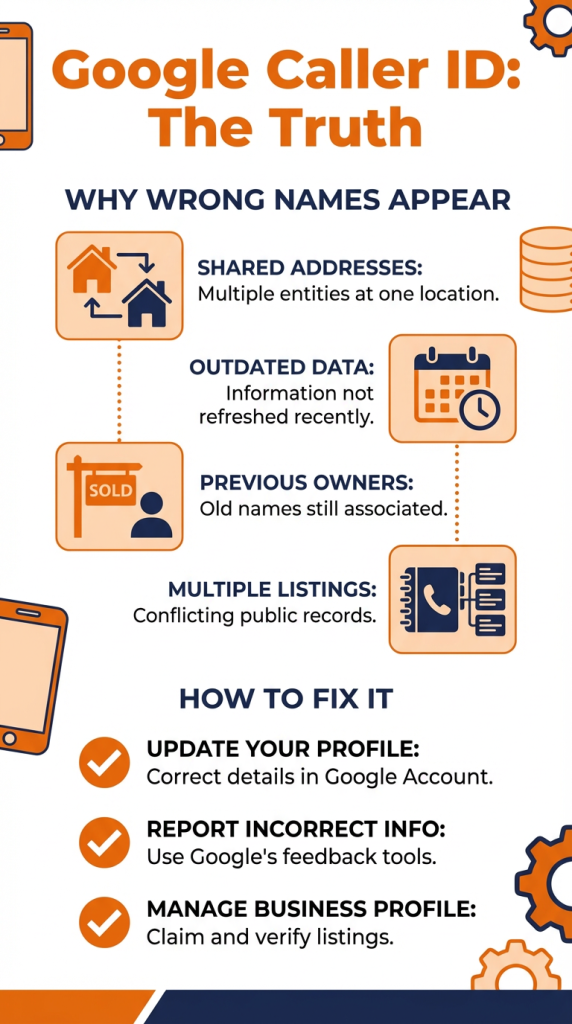
This infographic breaks down the primary reasons for Google Caller ID errors such as shared addresses and outdated dataand provides three clear steps to fix them.
The Bottom Line
The wrong name showing up on Caller ID isn’t your fault, and it isn’t your phone company’s fault either. It’s Google’s attempt to be helpful, sometimes too helpful, by guessing your identity from online data.
Until the UK introduces services that let you broadcast your chosen caller name, the best fixes are keeping your online information accurate and asking clients to save your number. That way, you stay in control of how your calls appear, rather than leaving it up to Google’s “internet brain.”